The way I plan and create films has changed significantly over time. With general refinements to my workflow and the addition of proper pre-production, I can create films that are increasingly better and with greater efficiency than I could have before. I applied this workflow to my most recent film ‘Mysterious Beef.’
Going into this project, I knew I wanted to create something entirely my own. Rather than using a screenplay written by another writer, I decided to make my own from scratch. Using a demo version of a screenplay software, I wrote out a short scene that’s about an unknown conflict or “beef” between two characters. After a few refinements and casting my characters (my classmates), I began to work on the shot list and storyboard. I started by placing markers around the set where I wanted each shot to be, that way I could see what it would look like in the real world. Then I wrote out the shot list using the previously placed markers as references to accurately plan out exactly what shots I needed and how I was to film them. Afterwards I drew out the storyboard, while not extremely descriptive it still gave me a good reference to how I wanted the film to look.

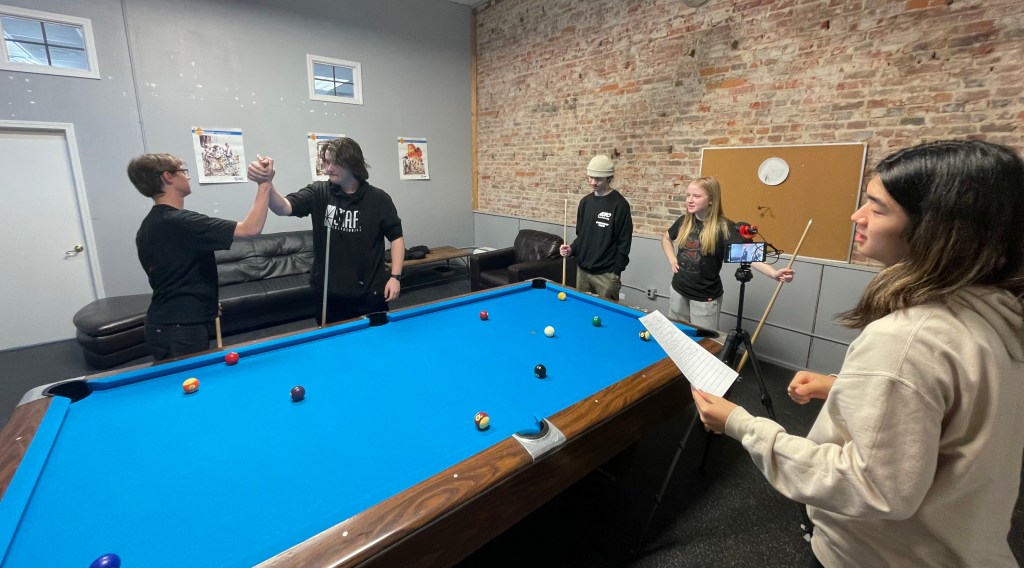
After having to delay filming due to extreme weather conditions, we managed to shoot everything one day after school. The filming itself took place in our school’s lounge which includes a pool table, a centerpiece in this film. We started with everyone running through their lines with each other, making sure everyone felt comfortable with their parts. Then I walked them through what actions they were to perform, using the screenplay as a guide. After a few practice takes it was time to film!
With a total of 10 shots, including 7 constant shots, 2 b-roll shots, and a shot that had 30 seconds of silence we wrapped everything up within an hour. Aside from a few failed takes and some blooper-worthy material, the filming itself went smoothly with everyone having a good time. I filmed everything on my phone, which can shoot in LOG while using an app. Shooting in LOG is great because it allows me to color correct and grade during post-production with more flexibility, resulting in a better-looking outcome.

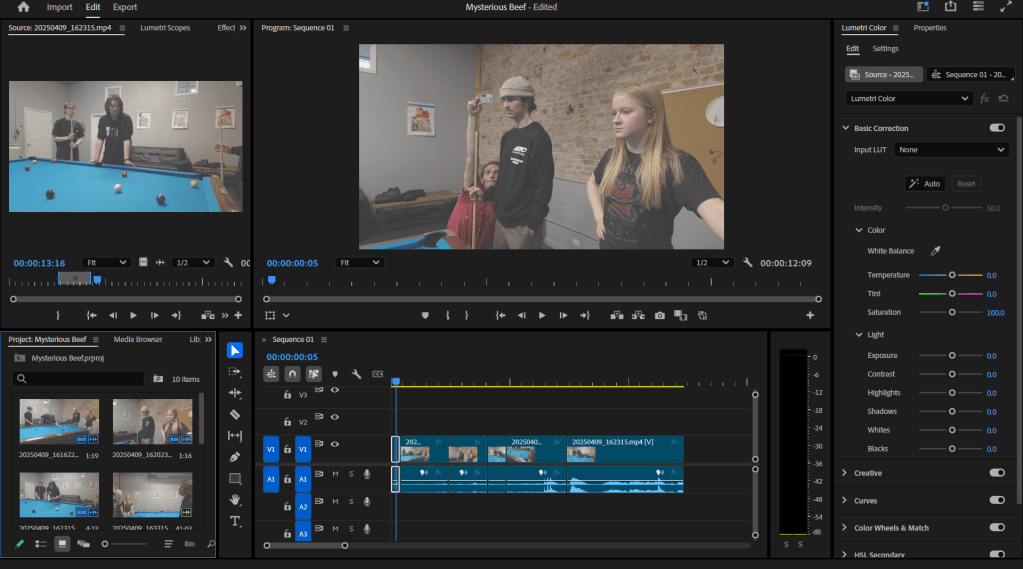
Now that I had all my footage, I needed to compose and edit them together to create a smooth and immersive film. I imported all of my shots into Premiere Pro and began by arranging each cut in order. I then went back and smoothed out each transition between each cut, adding in L and J cuts. A part of the film is that one of the main two characters nests a ball during the start. However, in one of the shots the balls are still on the table due to the way I planned it. This resulted in later shots still having the balls in the frame, even though they shouldn’t be there. So I masked those out and made it look like the ball was actually hit.
Afterward, I began color correcting by setting the white balance, using a neutral grey card that I filmed before one of the shots as the reference. Then making adjustments to the saturation, contrast, vibrance, and shadows I balanced out how the video looked. Now that I have a balanced video, I need to color grade it to give it an artistic look by making the colors set the mood of the film. This is done to not only make the film visually pleasing but also to reflect what the characters are feeling.
I enjoyed the making of this film, it is to this day the most professional film I have made. By writing my own screenplay, preparing everything well in advance, being more intentional with camera rules & movements, and properly color grading it, I created a short film that I am proud of and can improve from even more.
 The Learning Repository